
Free video player · Windows, macOS, Linux
Play it smoother than it was filmed.
Xen draws the frames between frames, sharpens low-resolution video on your GPU, remembers your place in every series, and keeps friends in step during a watch party with no server in between.
Free and open source (GPL-3.0) · No account · Updates itself from GitHub
The player
Out of the way until you need it.
 1
2
3
4
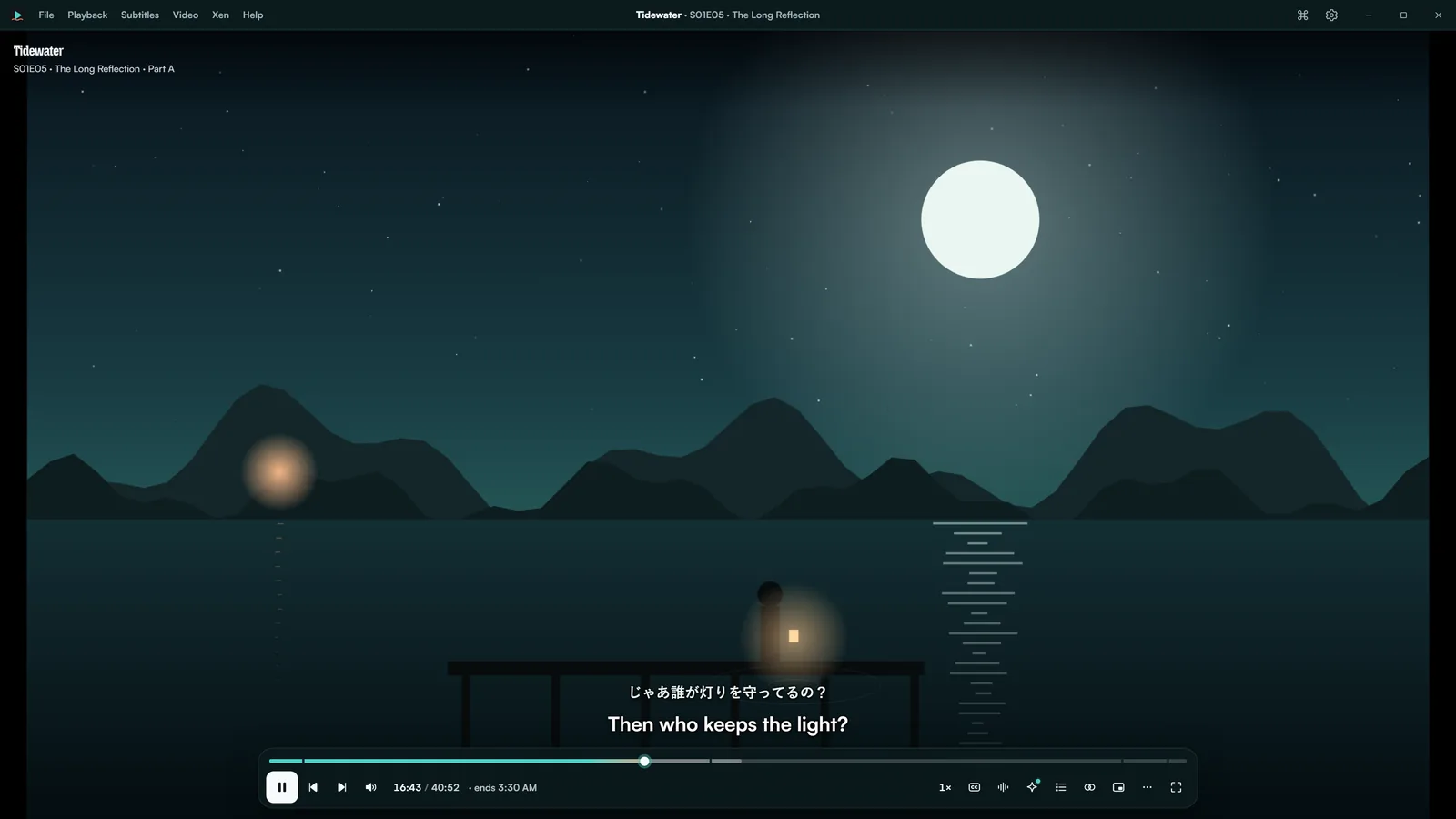
- A floating control island. It fades after a few seconds of stillness, and so does the cursor.
- An "ends at" clock. You always know if there's time for one more episode.
- Two subtitle tracks at once, each with its own style and timing. Handy for learning a language.
- Every action has a key. Ctrl Shift P finds any command or setting, and every key can be rebound.
Frame generation
Four ways to fill the gaps.
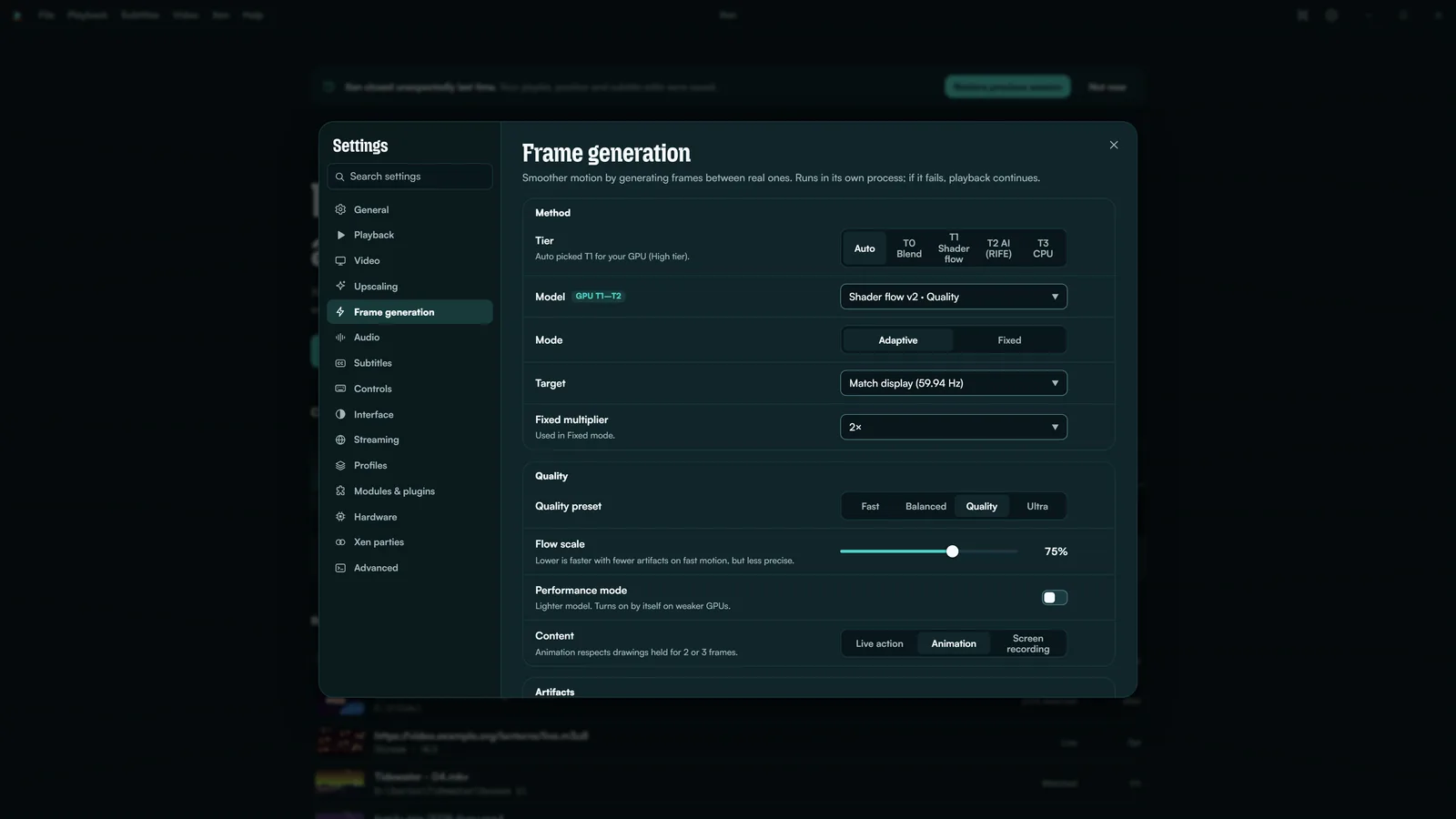
Films are shot at 24 frames a second. Your screen probably shows 60 or more. Xen can generate the missing frames so pans glide instead of stutter.
Pick a method, or leave it on Auto and Xen chooses from your hardware. If a method can't keep up, Xen steps down to a lighter one and tells you why.
-
T0
Any GPU
Blend
Mixes neighbouring frames in time with your display. Cheapest and always available, slightly soft on fast motion.
-
T1
VapourSynth + MVTools
Motion flow
Estimates how each block of the picture moves and draws a real in-between frame. The best balance for most films and shows.
-
T2
Vulkan GPU + RIFE module
RIFE AI
A neural network predicts the frame in between. The cleanest motion on hard scenes, and the heaviest on your graphics card.
-
T3
Any computer
CPU
FFmpeg motion interpolation for computers without a capable GPU. Practical for SD and 720p at 2×.
- Match display or fixed 2×, 3×, 4×
- Scene-cut detection
- Flow scale
- Animation mode
- Pause on battery
- Offline render to a new file
Upscaling
Sharp on a big screen, even from a small file.
Upscaling runs on the GPU while the video plays, before subtitles are drawn, so text stays crisp.

 Basic bilinear
Lanczos + sharpening
- Light
- AMD FSR 1.0 or Spline36. Fast on laptops.
- Balanced
- FSRCNNX, a small neural scaler written as a shader.
- Anime
- Anime4K modes for line art and flat colour.
- Quality
- RAVU or NNEDI3 for the cleanest edges.
- Pixel art
- Nearest neighbour, so pixels stay square.
- Custom
- Add your own
.glslshaders and reorder the chain.
For a one-off job, Real-ESRGAN can upscale a whole file offline. Hold a key during playback to compare with processing off.
Series and resume
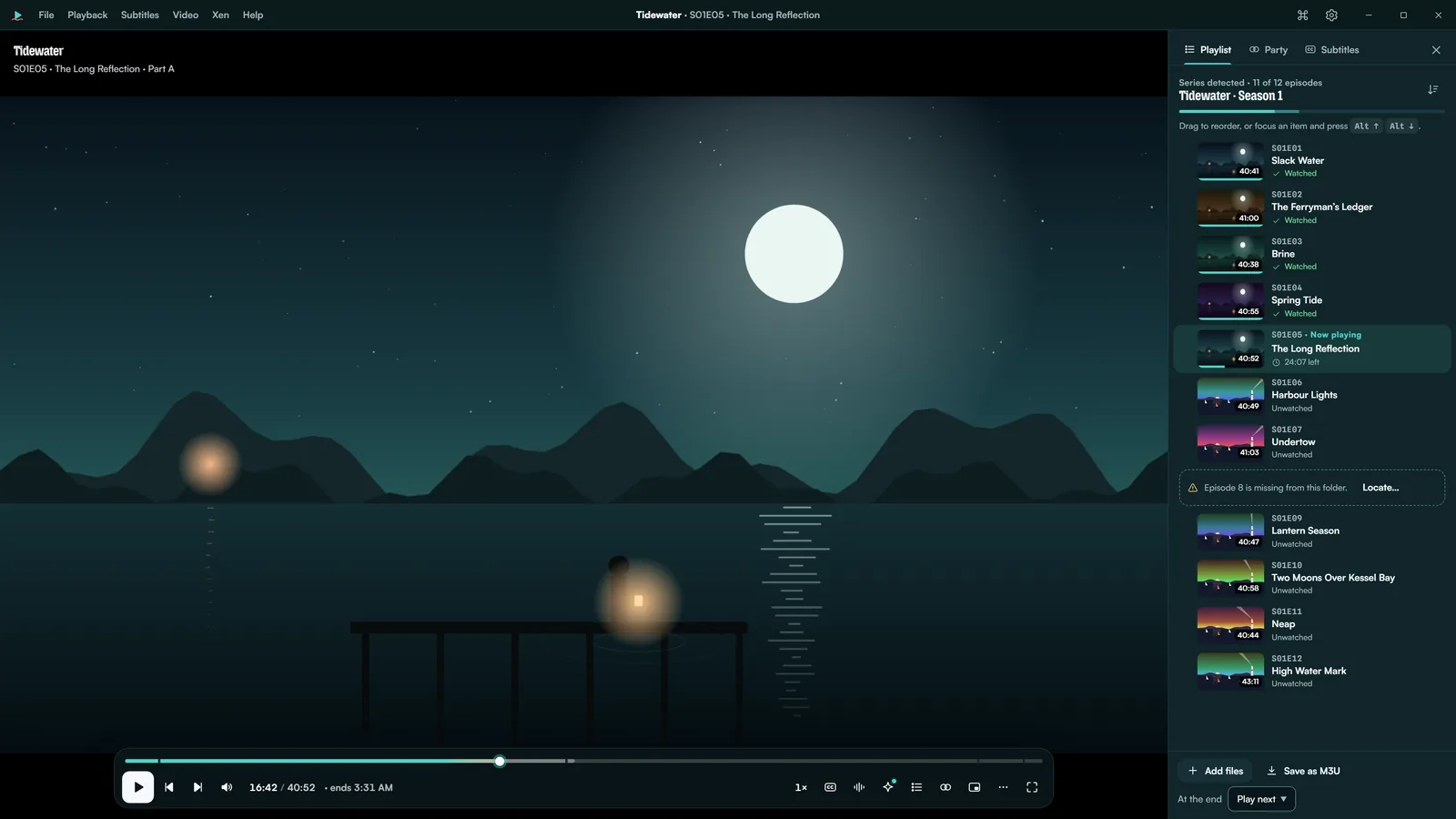
Open one episode. Get the whole season.
- 01
Open any episode
Xen reads names like
S01E05,1x05and[Group] Show - 05 [1080p], and lines up the rest of the folder in the right order, sibling season folders included. - 02
It keeps your choices
Pick Japanese audio and English subtitles once. The next episode gets the same, even when the track order changes.
- 03
It never loses your place
Your position is saved every few seconds and on exit. Move or rename the file and Xen still knows it.
Subtitles
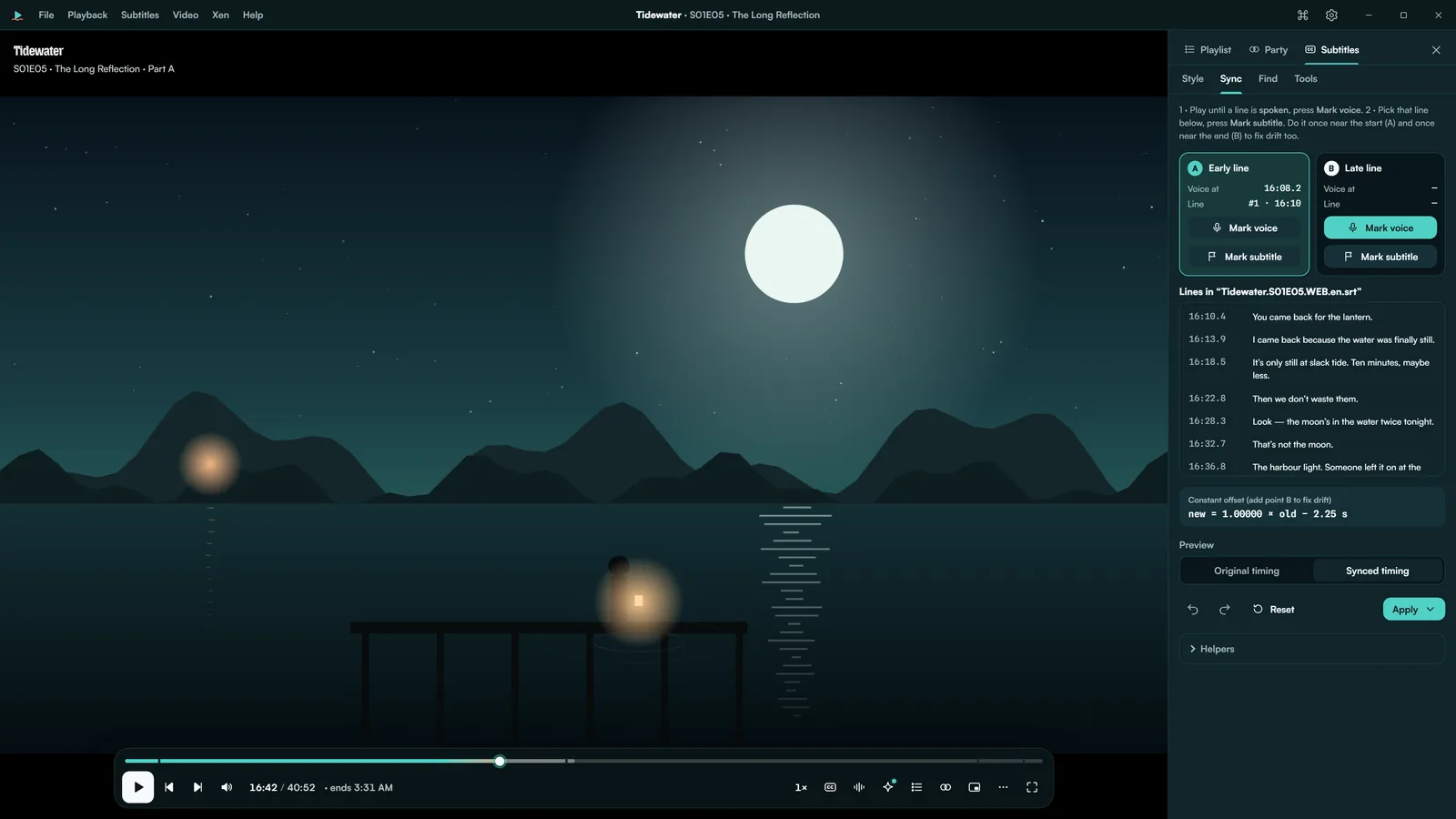
Fix drifting subtitles with two marks.
Mark where an early line is really spoken, then a late one. Xen works out new = a × old + b, which fixes both the offset and the slow drift you get from a 25 fps subtitle on a 23.976 fps video.
Preview before you apply, undo any time, and save as a new file. Overwriting keeps a backup. Xen also converts between SRT, ASS and VTT, detects old encodings like Shift-JIS, and loads matching subtitle files on its own.
Xen watch parties
Watch together, from your own computer.
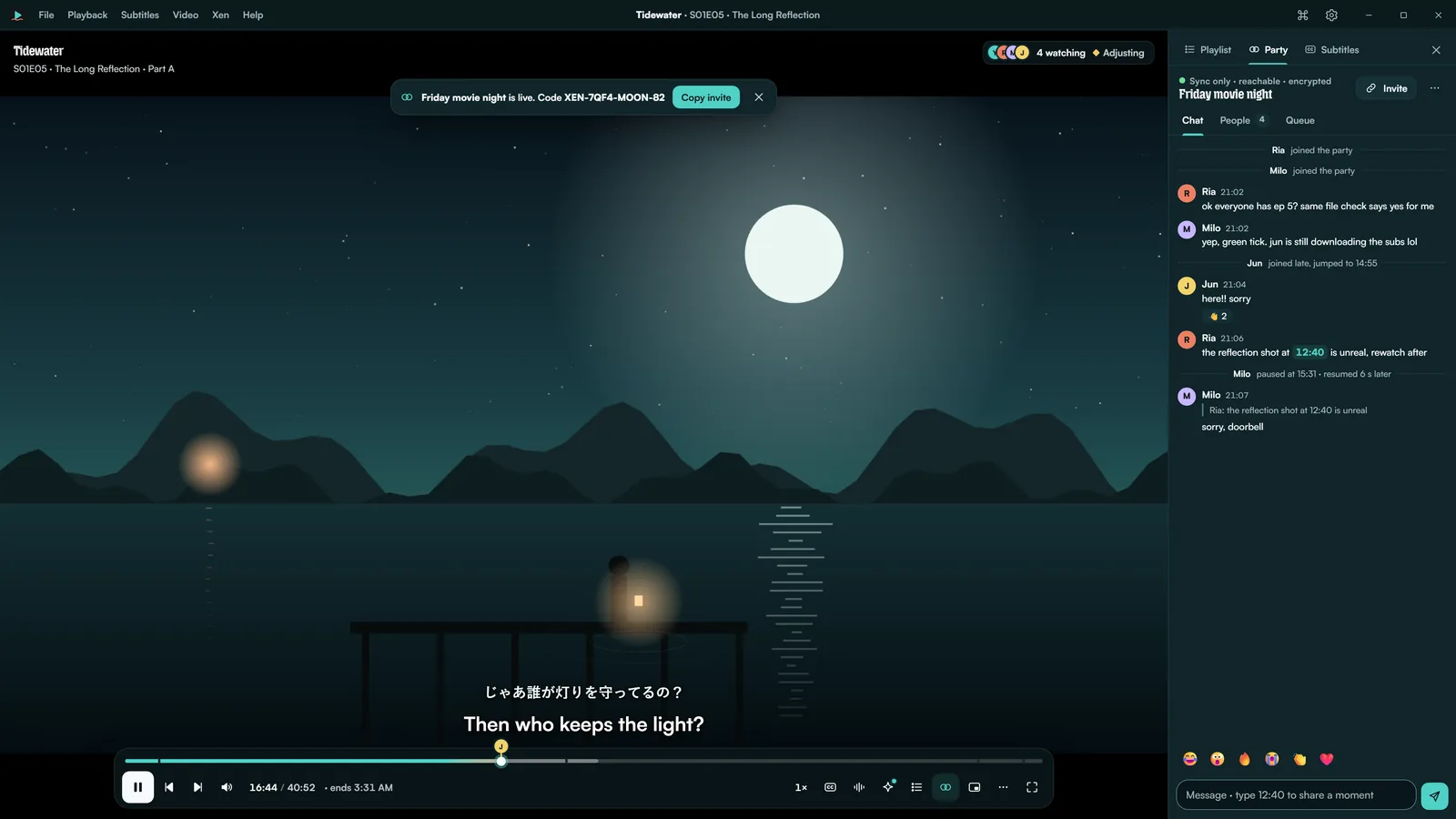
No account and no company server. The party, the chat and the history live on the host's machine.
- 1
Start a party
Name it, set an optional password, and choose whether everyone can control playback.
- 2
Share the code
Friends paste it into Xen. The code carries the address and the key, and traffic is encrypted.
- 3
Press play together
Everyone plays their own copy of the file. Xen checks that the files match and keeps everyone in step: gentle speed nudges for small drift, a jump for big gaps.
Honest limit: some home connections (carrier-grade NAT) can't accept incoming connections. Xen tells you before the party starts and points you to a tunnel like Tailscale.
Download
Get Xen.
Every build comes from GitHub Releases with SHA-256 checksums. Once installed, Xen checks for new releases at most once a day, verifies the download, and updates when you quit.
Windows 10 and 11, x64
- InstallerStart menu, file types, updates itself
- Portable .zipSettings stay in the folder
macOS 12 and later
- Apple Silicon .dmgM1 and newer
- Intel .dmgOlder Macs
Linux x86_64
Questions
Straight answers.
Is Xen really free?
Yes. Xen is open source under the GPL-3.0 licence. There are no ads, no paid tier and no account.
Do I need a powerful graphics card?
No. Playback, Blend frame generation and the Light upscaler run on integrated graphics. The heavier methods are optional, and Xen greys them out with a reason when your hardware can't run them.
What plays the video underneath?
Xen is built on mpv and FFmpeg, so it plays what they play: MKV, MP4, WebM, HEVC, AV1, HDR, ASS subtitles and more, with hardware decoding when your GPU supports it.
Does Xen send anything about me?
No telemetry. The only routine request is the update check, which asks GitHub for the latest release and nothing else. You can turn it off in Settings.
How do updates work?
The Windows installer, portable builds, macOS app and AppImage update themselves: Xen downloads the release, checks its SHA-256, and swaps it in when you quit, keeping the previous version for rollback. .deb and .rpm installs show a notice and update through your package manager.
Why does macOS or Windows warn me on first launch?
The builds aren't signed with paid Apple or Microsoft certificates yet. On macOS, right-click the app and choose Open the first time. On Windows, choose More info, then Run anyway.